Edgelle FR Download

Your paper notes, on the edge of the screen.

Anchor them to a site, a document or an app: they come back in the right place, at the right time.

Camille and Léa plan their holiday in the Maldives.
  • Windows 10 and 11
  • No account
  • No telemetry
  • Markdown notes, on your PC
  • 14 languages

How it works

Five gestures, and your notes follow you.

No folders to sort, no window to open: your notes live on the edge of the screen and come up when you need them.

01The rivet

All your notes, on the edge of the screen

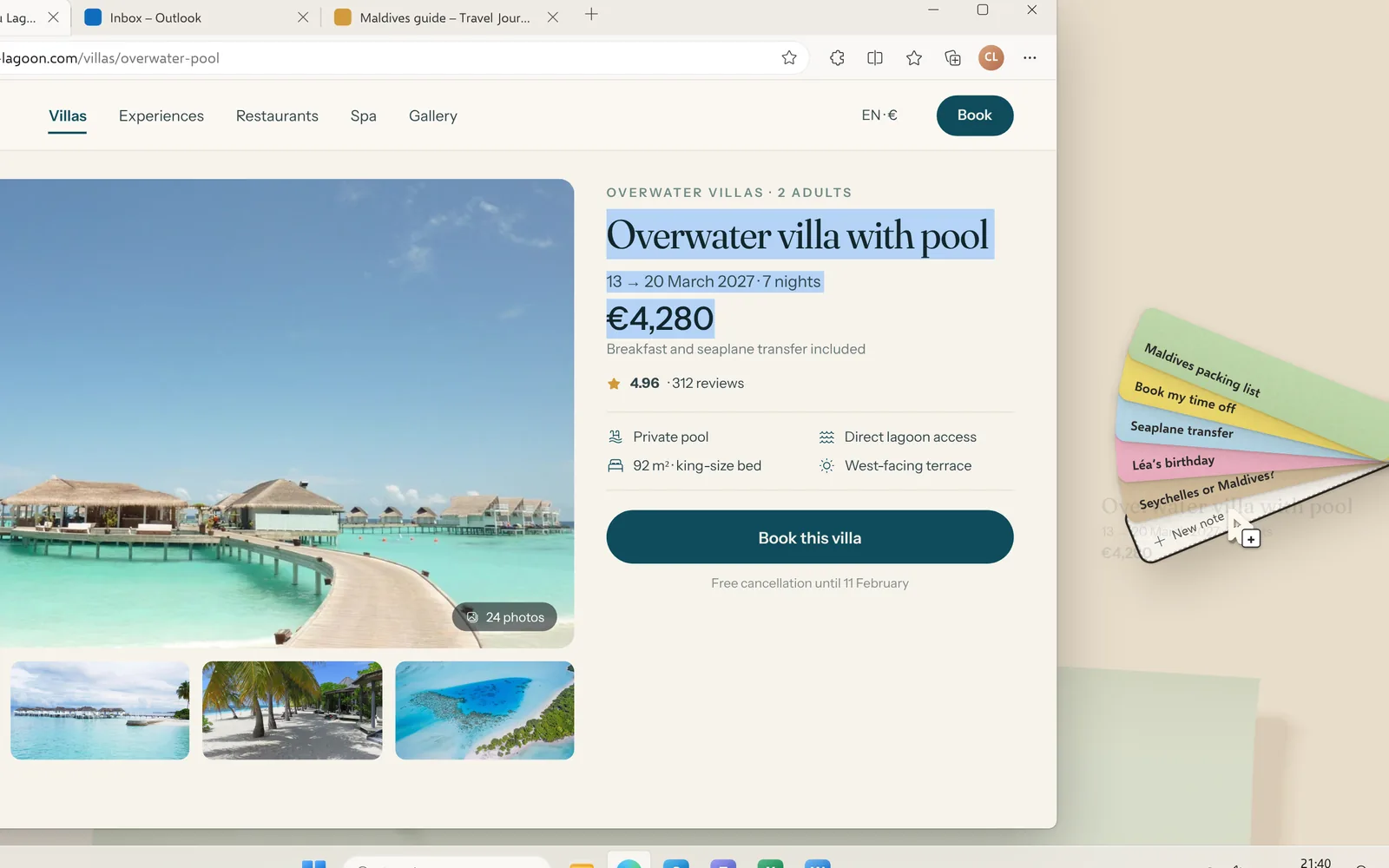
A small brass rivet sits on the edge of your screen. Hover it: your notes fan out like a colour swatch book, without leaving what you’re doing.

Move it wherever you like: it snaps to the nearest edge.
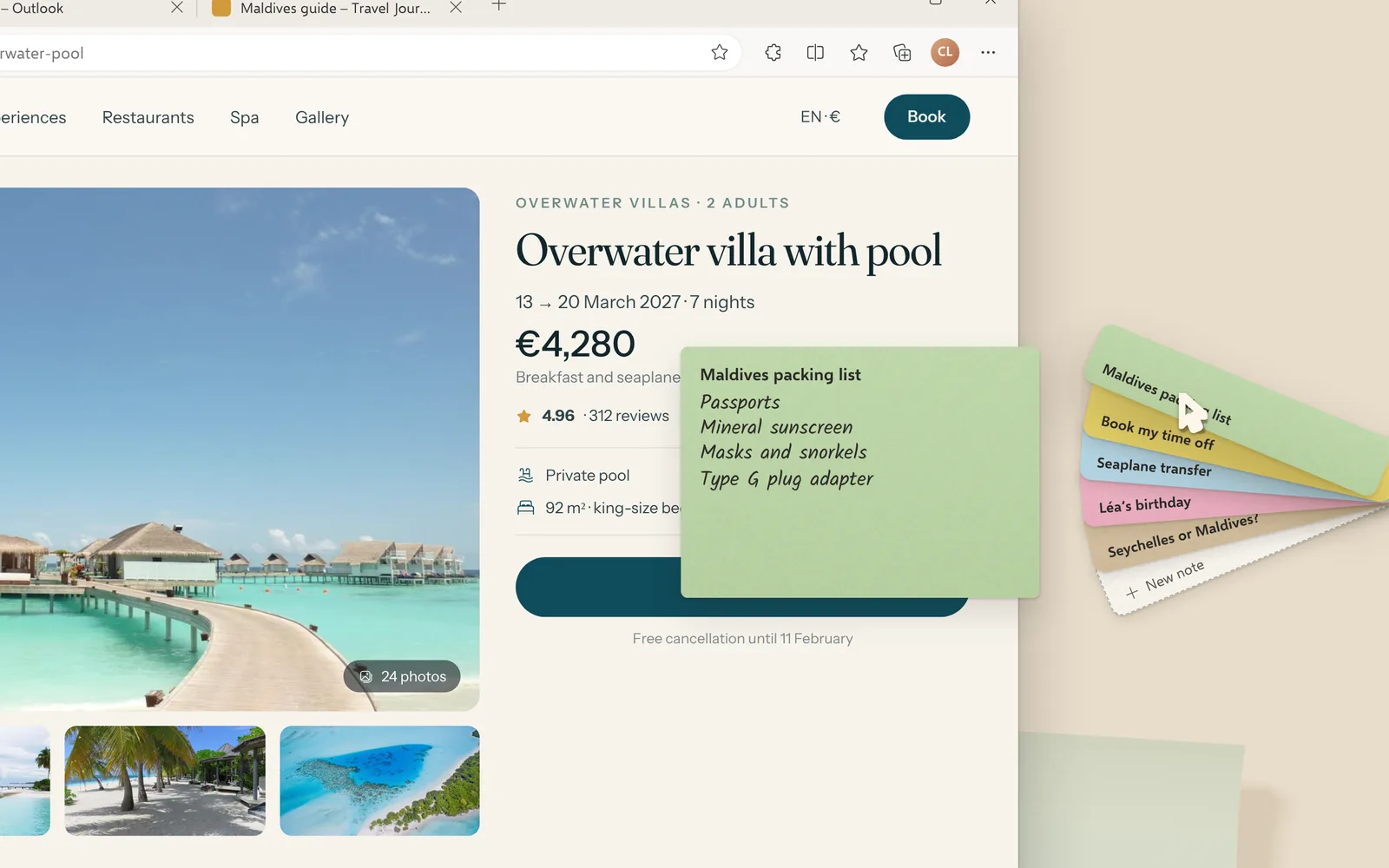
Edgelle’s fan of notes open on the edge of the screen, next to a villa booking page

02Note it

Text dropped on the rivet becomes a note

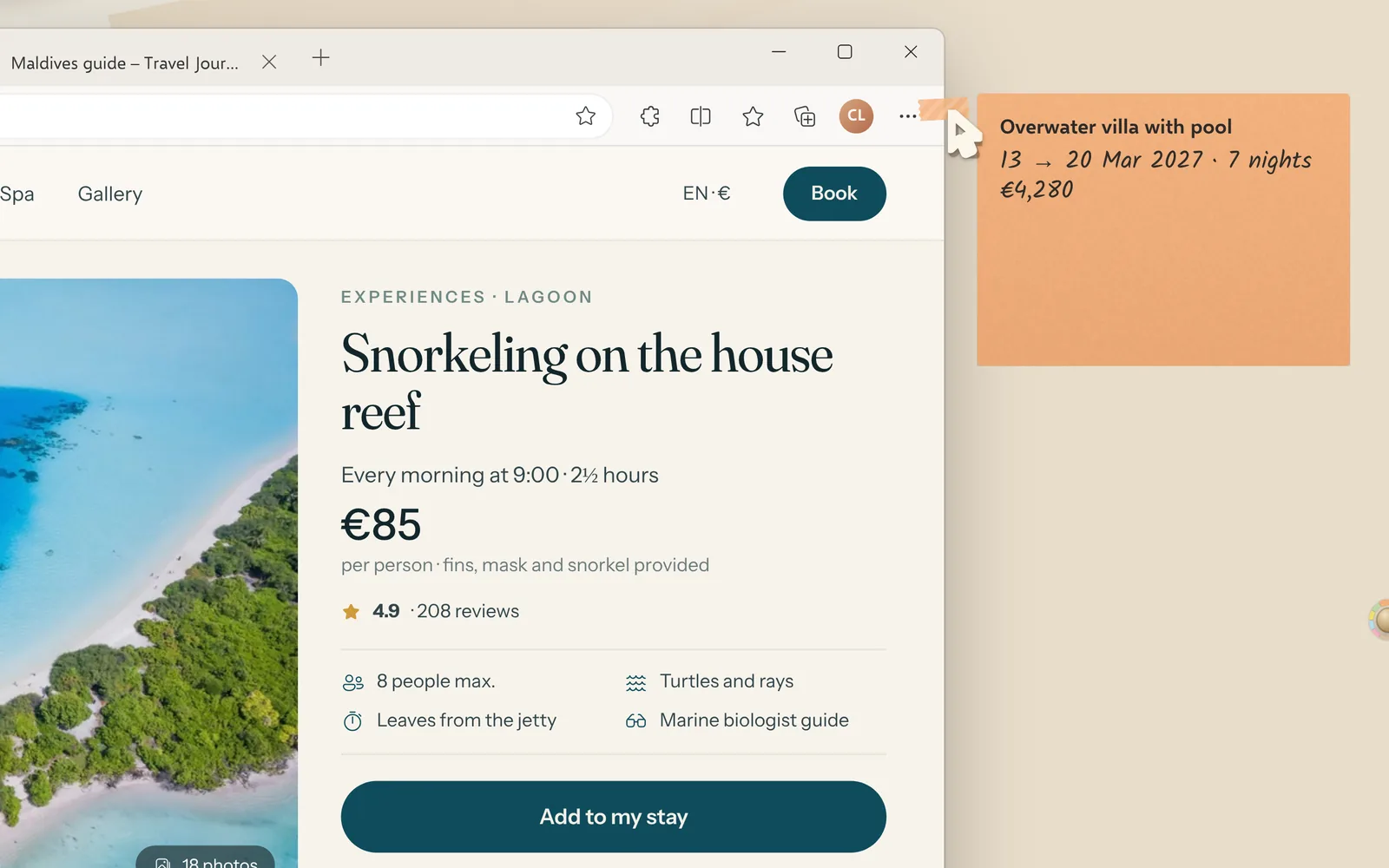
A price, an address, a booking reference: select it in any page and drop it on the rivet. It joins the fan straight away.

CtrlAltN new note

Text selected on a web page being dropped on the rivet

03Anchor

It comes back when you do

Anchor a note to a site, a page, a document, a folder or an app. A strip of washi tape marks it on the window, and it moves to the front of the fan as soon as you’re back.

CtrlAltA note anchored to the window

A note anchored to a site slides out of its tape when you come back to the page

04Capture

Any part of the screen, kept as a note

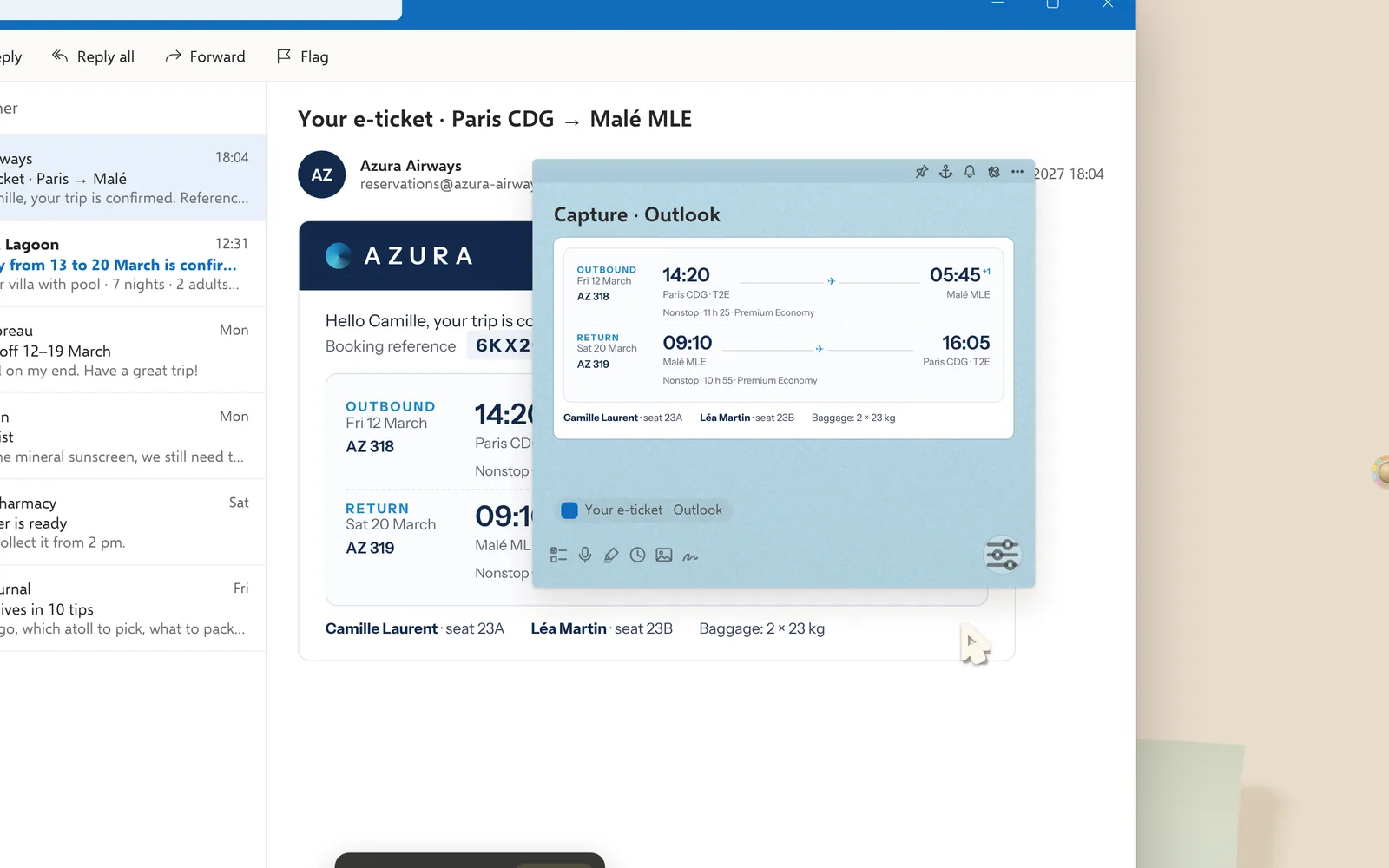
A ticket, a table, a map: draw a rectangle, the piece peels off the screen and becomes a note, linked to the window it came from.

CtrlAltS area capture

A capture of a plane ticket in Outlook turned into a note

05Find

Shake the mouse, it’s all there

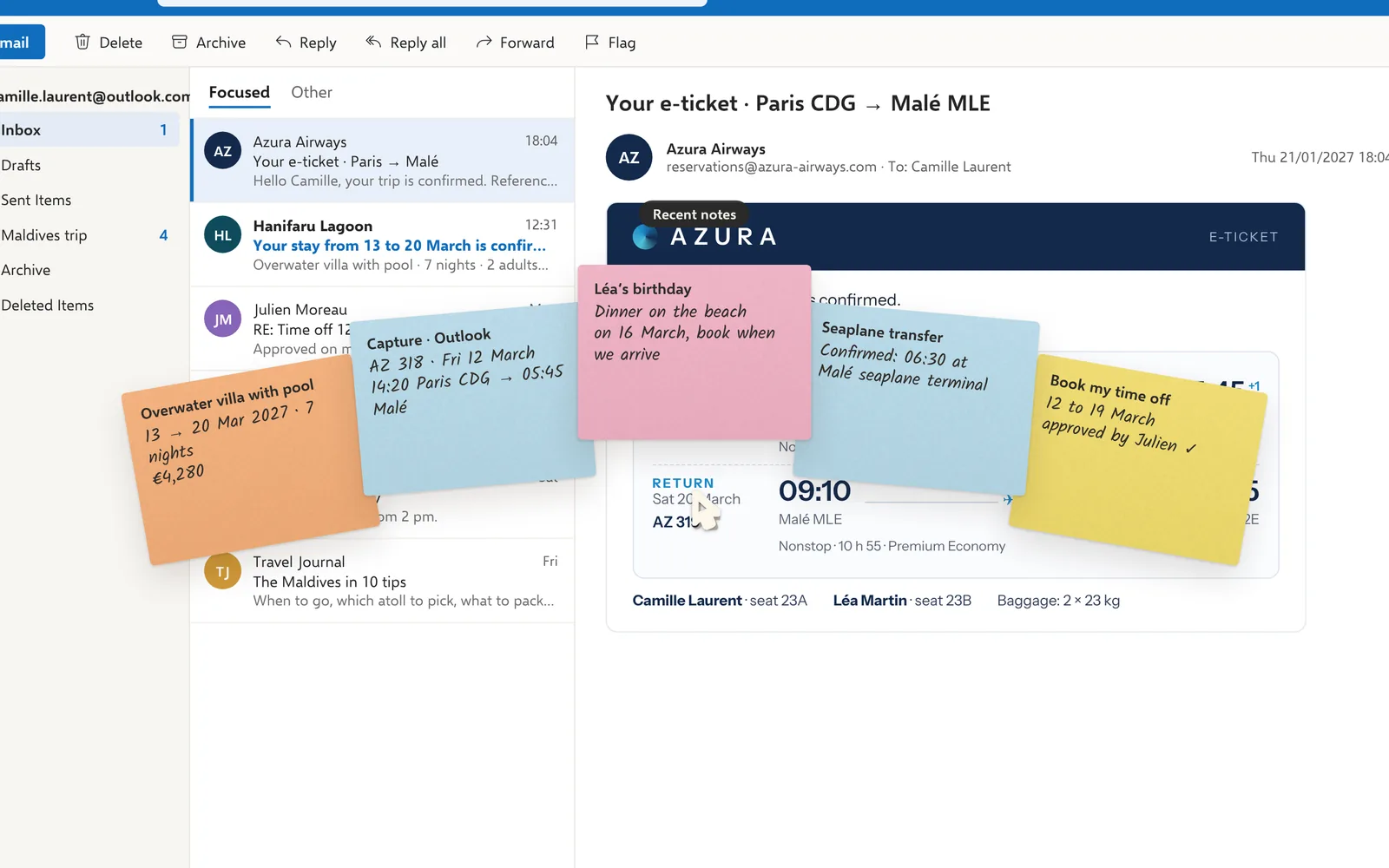
A quick little left-right shake, and the notes that matter right now fan out around the pointer. For everything else, search goes through all your notes.

CtrlAltF all notes

The trip’s notes fanned out around the pointer, over Outlook

Reminders

Your notes come back on their own.

Each note’s bell offers nine ways to bring it back, once, every time, or from a given date. Pick a trigger to see an example.

Remind me of this note

When

Monday, 9 am

Call the travel agency

Not the right time? The note flies off as a paper plane and comes back when you choose.

And also

Everything you expect from a paper note, and a little more.

  • Ticked, stamped or crumpled

    A finished note gets its “DONE” stamp, or goes off as a ball of paper. Undo smooths it out again.

  • Notes that age

    A forgotten note fades and its corners curl: what’s been lying around shows at a glance.

  • One fan per virtual desktop

    Each Windows desktop keeps its own notes: work on one side, holidays on the other.

  • Hidden when you share your screen

    If you like, your notes stay out of screen sharing and recordings.

  • Voice notes, sketches, images

    Record a voice memo, sketch a map with the mouse or a pen, add an image.

  • Your Windows Sticky Notes

    Imported in one click, with their colours, dates and images.

  • Search everything

    Title, text, source site or document: everything turns up, accents or not.

  • On all your PCs

    Through your OneDrive, Dropbox, Google Drive or a NAS. Edgelle has no server.

  • In 14 languages

    Edgelle follows the language of Windows, from English to Japanese.

  • Made your way

    Paper colours, handwriting fonts and the rivet’s size are set in a moment.

  • PowerToys Command Palette

    Search, open or create a note without leaving the keyboard.

  • Quick capture

    CtrlAltSpace from any app: type, press Enter, it’s noted.

Privacy

Your notes stay with you.

No account

Nothing to create, nothing to confirm: Edgelle opens and works straight away.

Nothing leaves your PC

No telemetry, no Edgelle server: your notes are never sent anywhere.

Readable without the app

Each note is a plain Markdown file, in a folder you choose.

Read the privacy policy

Questions

Frequently asked questions

Which versions of Windows does Edgelle run on?

Windows 11 and Windows 10 (version 2004 or later), on 64-bit PCs.

Do I need to create an account?

No. Edgelle installs from the Microsoft Store and works straight away, with no sign-up. Only the licence purchase uses your Microsoft account.

How much does Edgelle cost?

Edgelle is free for up to 10 notes (notes marked “Done” don’t count). Beyond that, a €0.99 licence (or the local equivalent), a one-off purchase in the Microsoft Store, unlocks unlimited notes on all your PCs signed in to the same Microsoft account.

Are my notes sent anywhere?

No. Edgelle has no telemetry and no server: it never sends your notes anywhere. Only the licence purchase goes through the Microsoft Store. Each note is a Markdown file in a folder on your PC, readable without the app.

Can I get my notes on several PCs?

Yes. In Settings → Data, pick a synced folder (OneDrive, Dropbox, Google Drive, iCloud or a NAS), then the same folder on the other PC. If a note changed on both sides, both versions are kept and you choose.

Can I import my Windows Sticky Notes?

Yes, in one click, with their colours, dates and images. The Sticky Notes database is never modified.

Do my notes show up when I share my screen?

It’s a setting: Edgelle can hide its notes from screen sharing and recordings. CtrlAltX turns it on or off.

How do I anchor a note?

Click the anchor in the band at the top of the note, or press CtrlAltA in the window you want, then choose the scope: this site, this page, this document, this folder or this app.

Which languages is Edgelle available in?

14 languages: English, French, Spanish, German, Italian, Portuguese (Brazil and Portugal), Dutch, Polish, Turkish, Russian, Indonesian, Japanese and Korean. Edgelle follows the language of Windows.

Notes that come back in the right place, at the right time.

On the Microsoft Store, for Windows 10 and 11. No account to create.

Get it from Microsoft Store